
RFID Access Control - Arduino Uno
Access control using RFID cards & tags
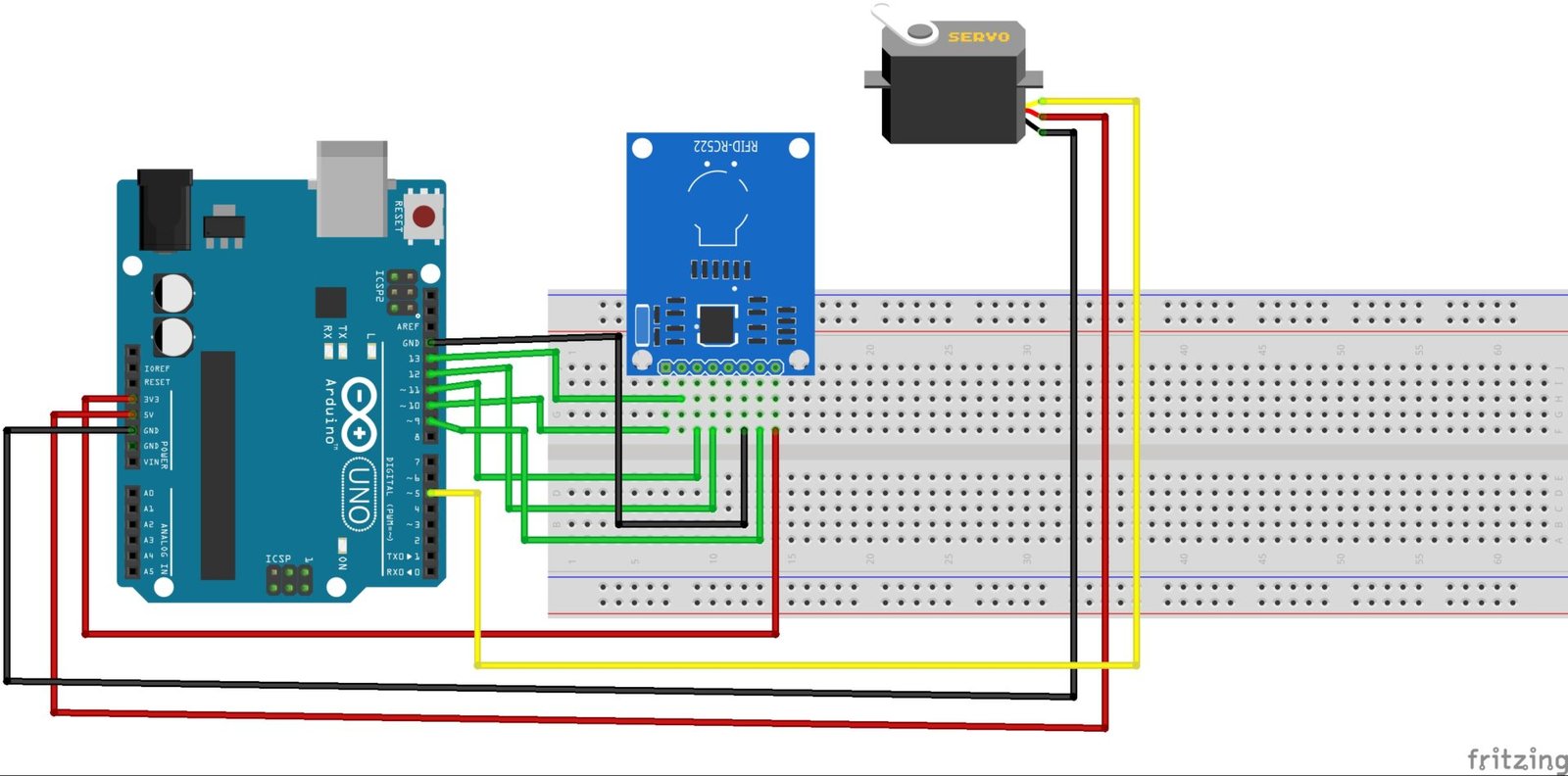
-

- RFID Test 1
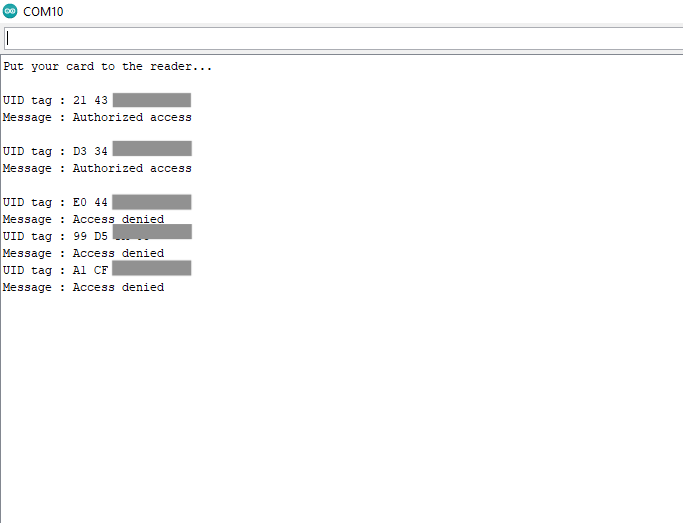
-
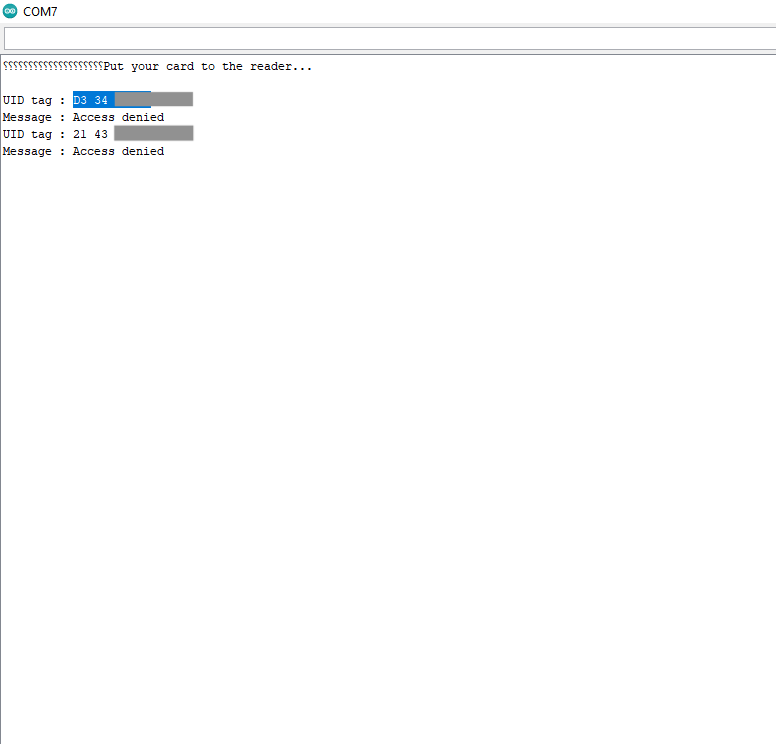
- RFID Test 2
Radio Frequency Identification (RFID) technology allows tagged objects or keycards with unique IDs to be identified or authenticated. In this project, RFID is used to control a lock system (servo motor). Registered IDs will open the lock. The system uses an Arduino microcontroller, an RFID scanner, and a servo motor. Read more about RFID here
When an authorized RFID card or tag is scanned, the RFID reader sends the unique identification code to the Arduino. The Arduino verifies the card ID against a list of pre-authorized users stored in its memory. If the card is valid, the Arduino commands the servo motor to rotate to a predefined angle, unlocking the door for a short duration before automatically returning to the locked position.
Unauthorized cards are denied access, ensuring improved security. The system can be expanded to include LCD display feedback, buzzer alerts.
- Arduino Uno
- Jumper wires
- RC552 RFID Reader
- RFID Cards and Tag
- Breadboard
- Servo motor
#include <SPI.h>
#include <MFRC522.h>
#include <Servo.h>
#define SS_PIN 10
#define RST_PIN 9
#define SERVO_PIN 5
Servo myservo;

#define ACCESS_DELAY 2000
#define DENIED_DELAY 1000
MFRC522 mfrc522(SS_PIN, RST_PIN);   // Create MFRC522 instance.

void setup()
{
  Serial.begin(9600);   // Initiate a serial communication
  SPI.begin();          // Initiate  SPI bus
  mfrc522.PCD_Init();   // Initiate MFRC522
  myservo.attach(SERVO_PIN);
//  myservo.write( 70 );
//  delay(7500);
  myservo.write( 0 );
  Serial.println("Put your card to the reader...");
  Serial.println();
  pinMode(4,OUTPUT);
}
void loop()
{
  // Look for new cards
  if ( ! mfrc522.PICC_IsNewCardPresent())
  {
    return;
  }
  // Select one of the cards
  if ( ! mfrc522.PICC_ReadCardSerial())
  {
    return;
  }
  //Show UID on serial monitor
  Serial.print("UID tag :");
  String content= "";
  byte letter;
  for (byte i = 0; i < mfrc522.uid.size; i++)
  {
     Serial.print(mfrc522.uid.uidByte[i] < 0x10 ? " 0" : " ");
     Serial.print(mfrc522.uid.uidByte[i], HEX);
     content.concat(String(mfrc522.uid.uidByte[i] < 0x10 ? " 0" : " "));
     content.concat(String(mfrc522.uid.uidByte[i], HEX));
  }
  Serial.println();
  Serial.print("Message : ");
  content.toUpperCase();
  if (content.substring(1) == "D3 34 7C 14" || content.substring(1) == "21 43 1E 06")
  {
    Serial.println("Authorized access");
    Serial.println();
    myservo.write(70);
    delay(7500);
    myservo.write(0);
    noTone(4);
  }

 else   {
    Serial.println("Access denied");
    tone(4,2000);
    delay(2000);
    noTone(4);
    delay(DENIED_DELAY);
  }
}
- A keypad can be added for additional security
- A buzzer could be included for audible confirmation
- Project 20 (Dot matrix display can be added for friendly user interface)
- The RFID code can be displayed on an LCD
- Tag registration and deregistration can be done with the help of a button and registered codes will be stored in the Arduino's EEPROM
- Custom Tags can be written with the RC552 reader/writer module