

Project 1
Three LED Wave - Arduino Uno
Project Description
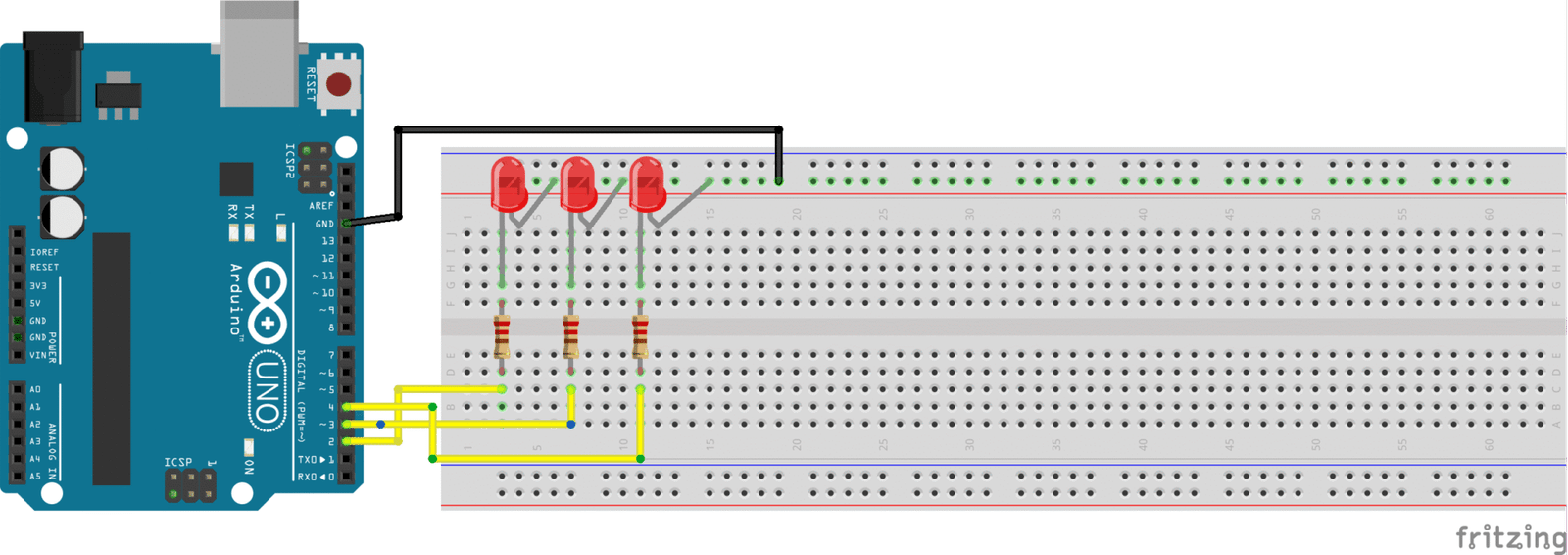
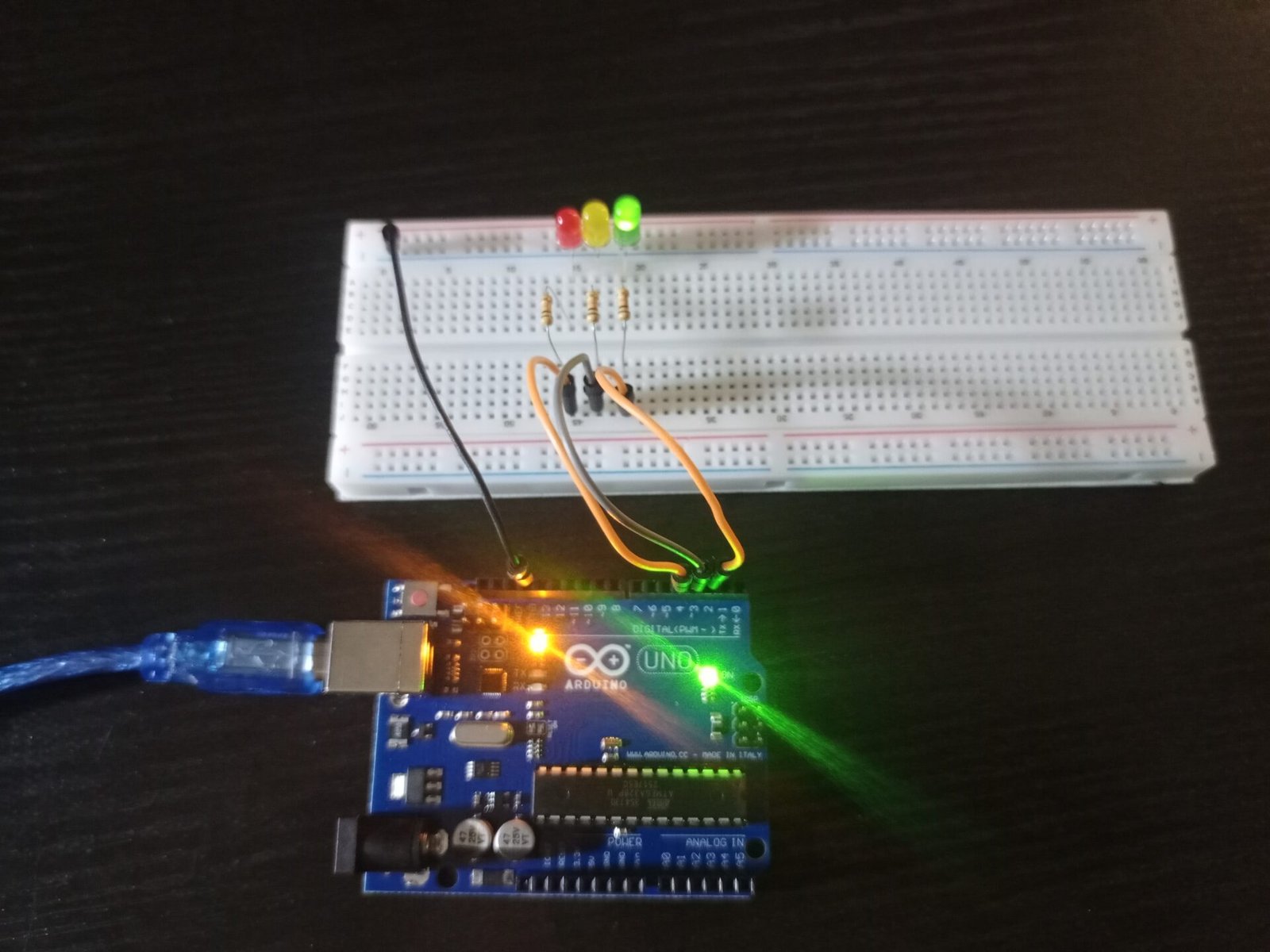
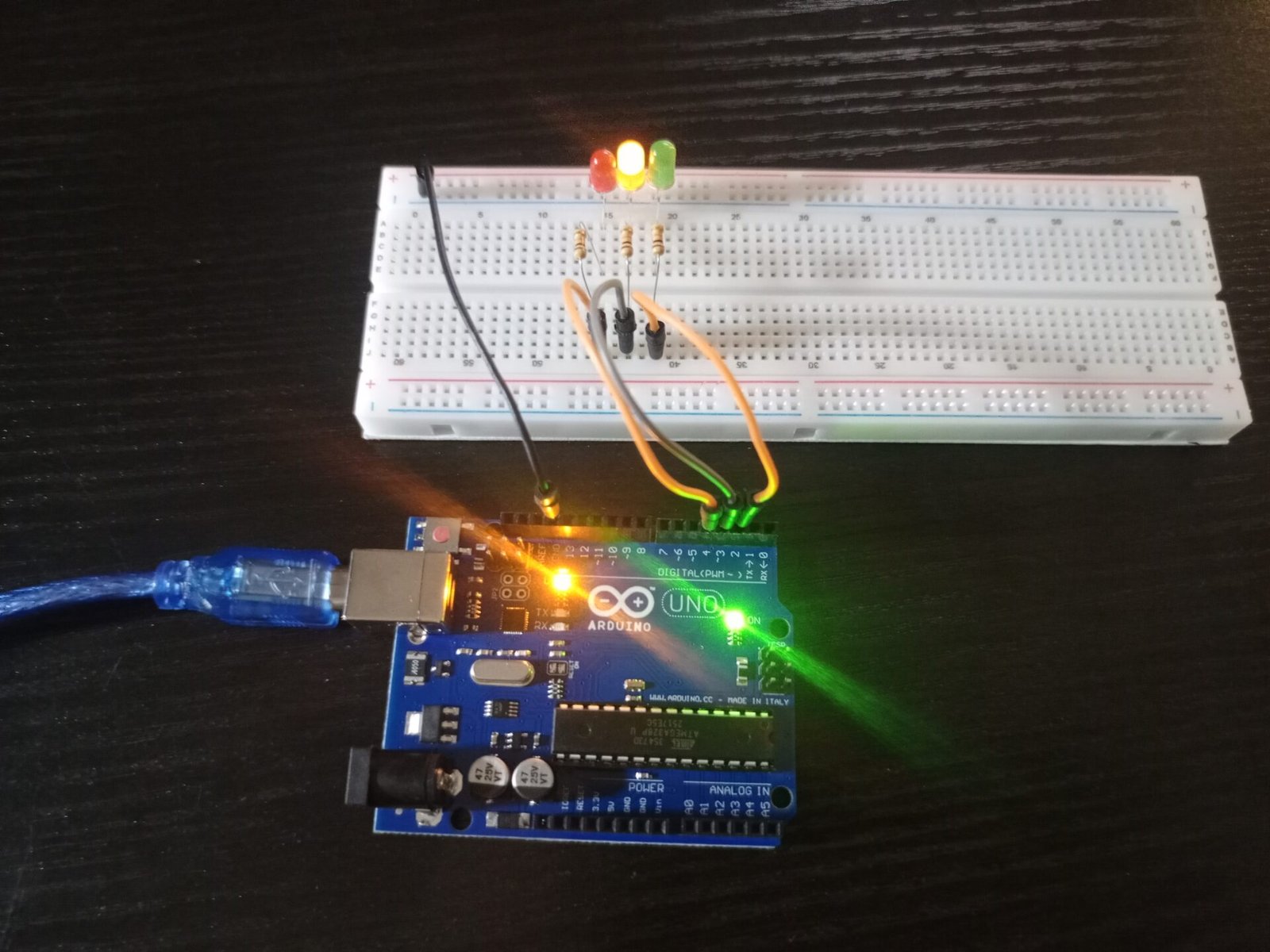
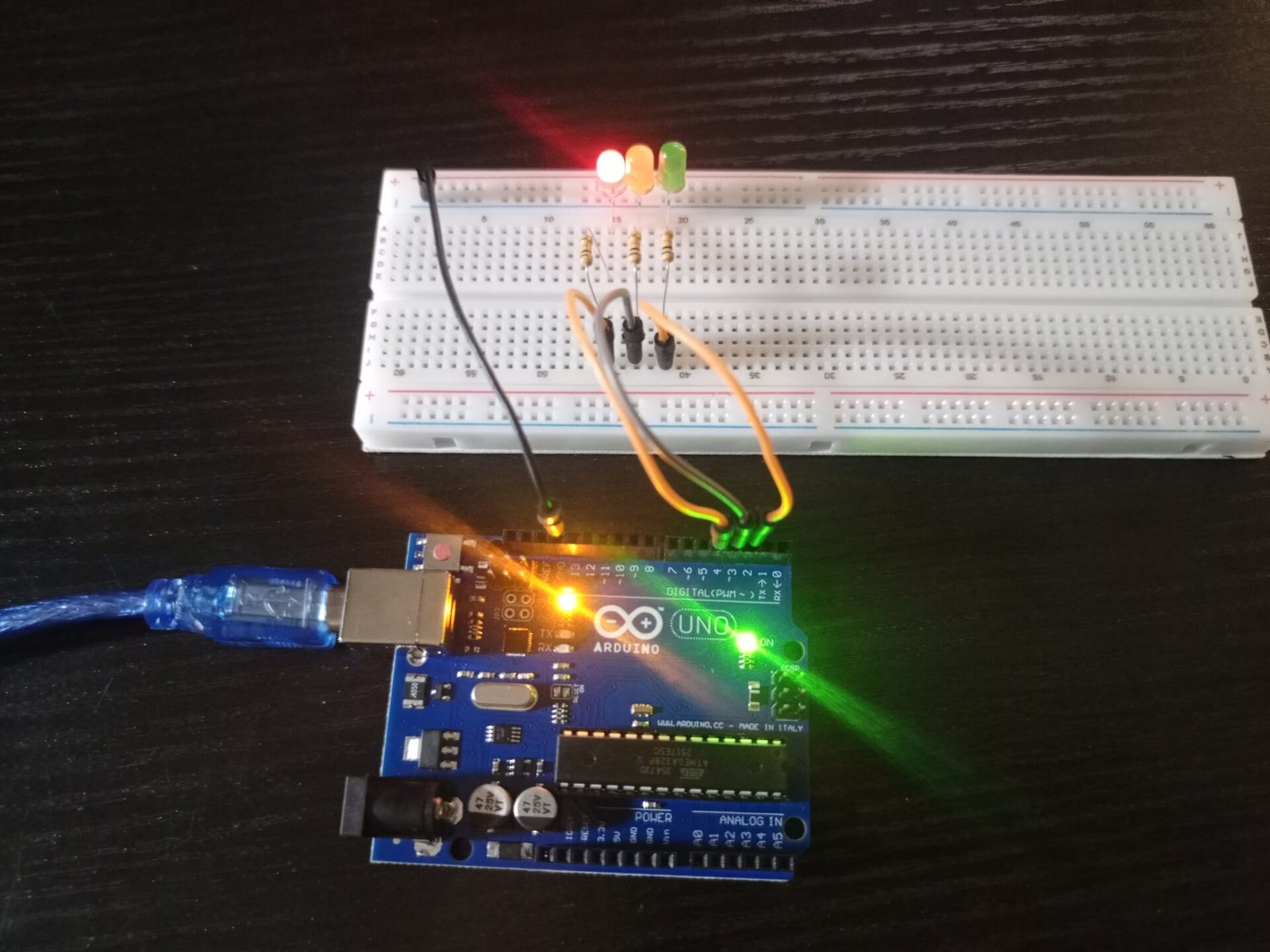
The blinking LED wave project is a simple but effective demonstration of sequential light control using an Arduino Uno. In this project, three LEDs are connected to digital pins 2, 3, and 4, and programmed to blink one after another in a wave-like pattern. Each LED turns ON and OFF with a delay, creating a smooth flowing motion that resembles a light wave. The Arduino continuously loops through the sequence, producing a repeating visual effect.
This project helps beginners understand fundamental concepts of digital output control, timing using delays, and basic circuit wiring on a breadboard. LEDs controlled by microcontrollers are cheap and easy way to display device status or just to add some bling to a project.
Components
- Arduino Uno
- LED (x3) - any colour
- 220 Ohm resistors (x3)- [Red-Red-Brown-Gold]
- Jumper wires
- Breadboard
Code
 // Project 1 - Three LED Blinking LED Wave
  void setup()
 {
  pinMode(2, OUTPUT);
  pinMode(3, OUTPUT);
  pinMode(4, OUTPUT);

 }
 // LED 1 control pin is set up as an output
 // same for LED 2 to LED 5
  void loop()
 {
  digitalWrite(2, HIGH);  // Turn LED 1 on
  delay(500);             // wait half a second
  digitalWrite(2, LOW);   // Turn LED 1 off
  digitalWrite(3, HIGH);  // and repeat for LED 2 to 5
  delay(500);
  digitalWrite(3, LOW);
  digitalWrite(4, HIGH);
  delay(500);
  digitalWrite(4, LOW);
  digitalWrite(3, HIGH);
  delay(500);
  digitalWrite(3, LOW);
  digitalWrite(2, HIGH);
  delay(500);
  digitalWrite(2, LOW);

  // the loop() will now loop around and start from the top again
 }
Taking things further
- Add More LEDs for a better wave effect.
- A traffic light system where the LEDs light up in a programmed sequence.
- Make the LEDs slowly turn on and off using PWM (Pulse Width Modulation) see PWM LED example.
- Christmas lights.
- Status indicator for a sensor (red for low, yellow for warning and green or blue for ok levels)