
LCD Display - Arduino Uno
Display information on 16x2 LCD
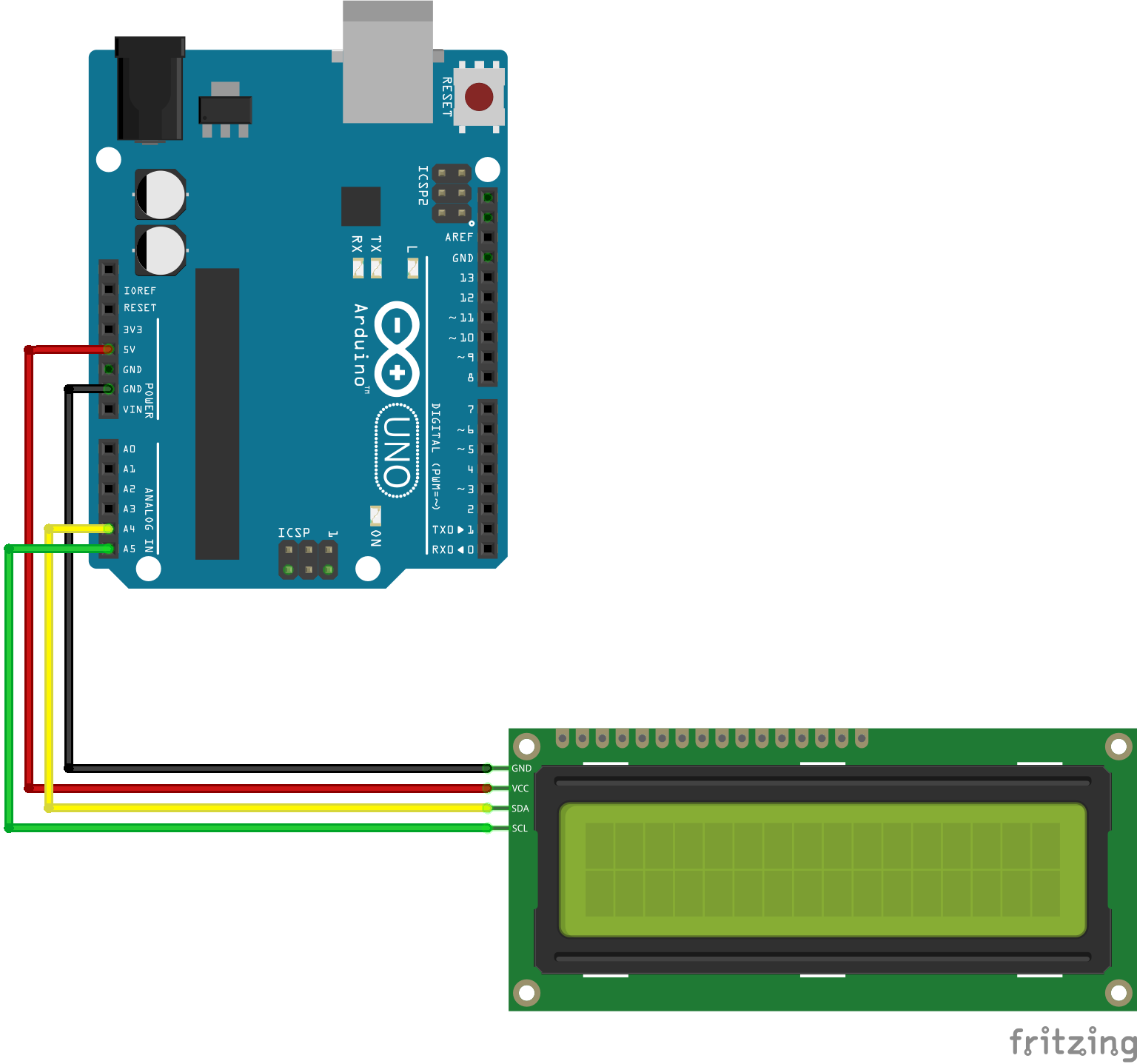
-

- LCD Displaying text on two rows
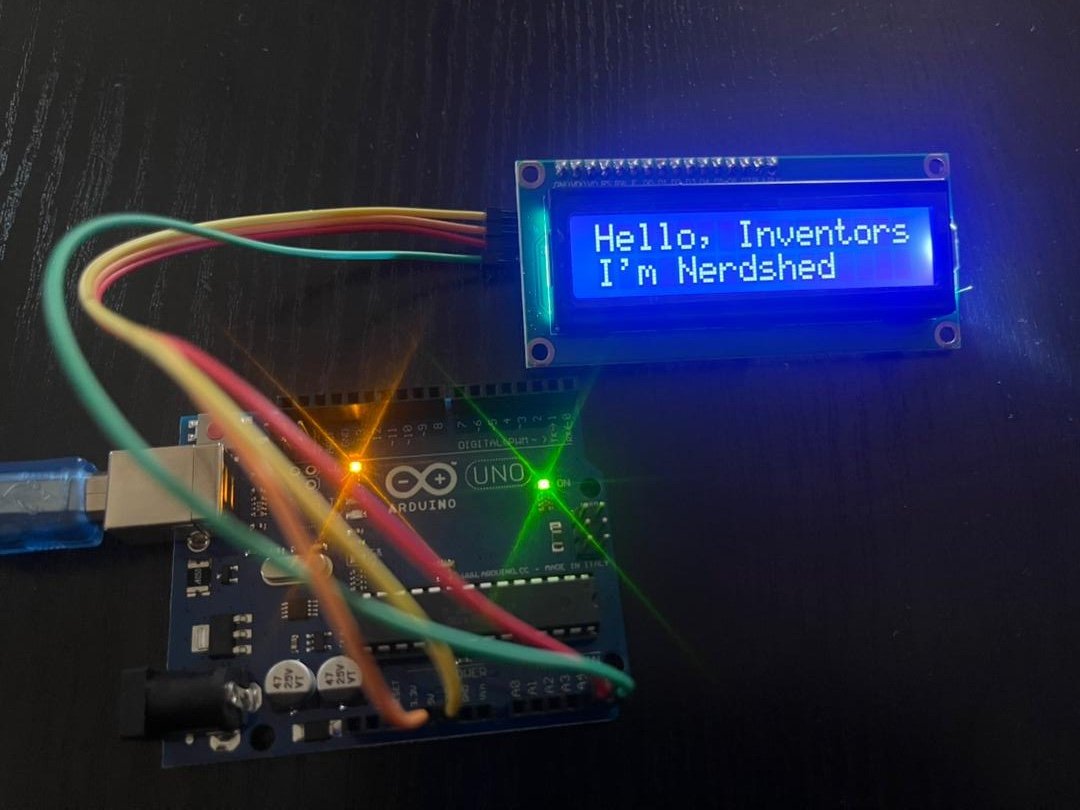
A Liquid Crystal Display (LCD) is an electronic display module that uses liquid crystal technology to show characters, numbers, and simple symbols. It is commonly used in embedded systems because it consumes low power, provides clear visibility, and is easy to interface with microcontrollers. The LCD is referred to as 16x2 because of the number of columns (16) and rows (2) that it contains. An LCD is ideal for showing sensor readings, system status, and user menus, tasks that a simple LED interface simply cannot accomplish.
The LCD module is combined with an I²C converter module which allows it to be controlled using two lines SCK (clock) and SDA (data) and simple commands. Without the module, the LCD would have to be controlled using 8-12 pins depending on the configuration. Read more about I²C here
Wire and LiquidCrystal_I2C libraries are used
- Arduino Uno
- LCD
- I²C LCD Converter module
- Jumper wires
- Breadboard
#include <Wire.h>
#include <LiquidCrystal_I2C.h>

LiquidCrystal_I2C lcd(0x27,16,2);  // set the LCD address to 0x27 for a 16 chars and 2 line display

void setup()
{
  lcd.init();  // initialize the lcd
  lcd.backlight();
}


void loop()
{
  lcd.setCursor(0,0);
  lcd.print("Hello, Inventors");
  lcd.setCursor(0,1);
  lcd.print("I'm Nerdshed");
}- The project can be advanced to make a clock or timer
- Temperature, humidity, voltage value can be displayed on the screen (see other projects)