
Keypad Lock Access Control - Arduino Uno
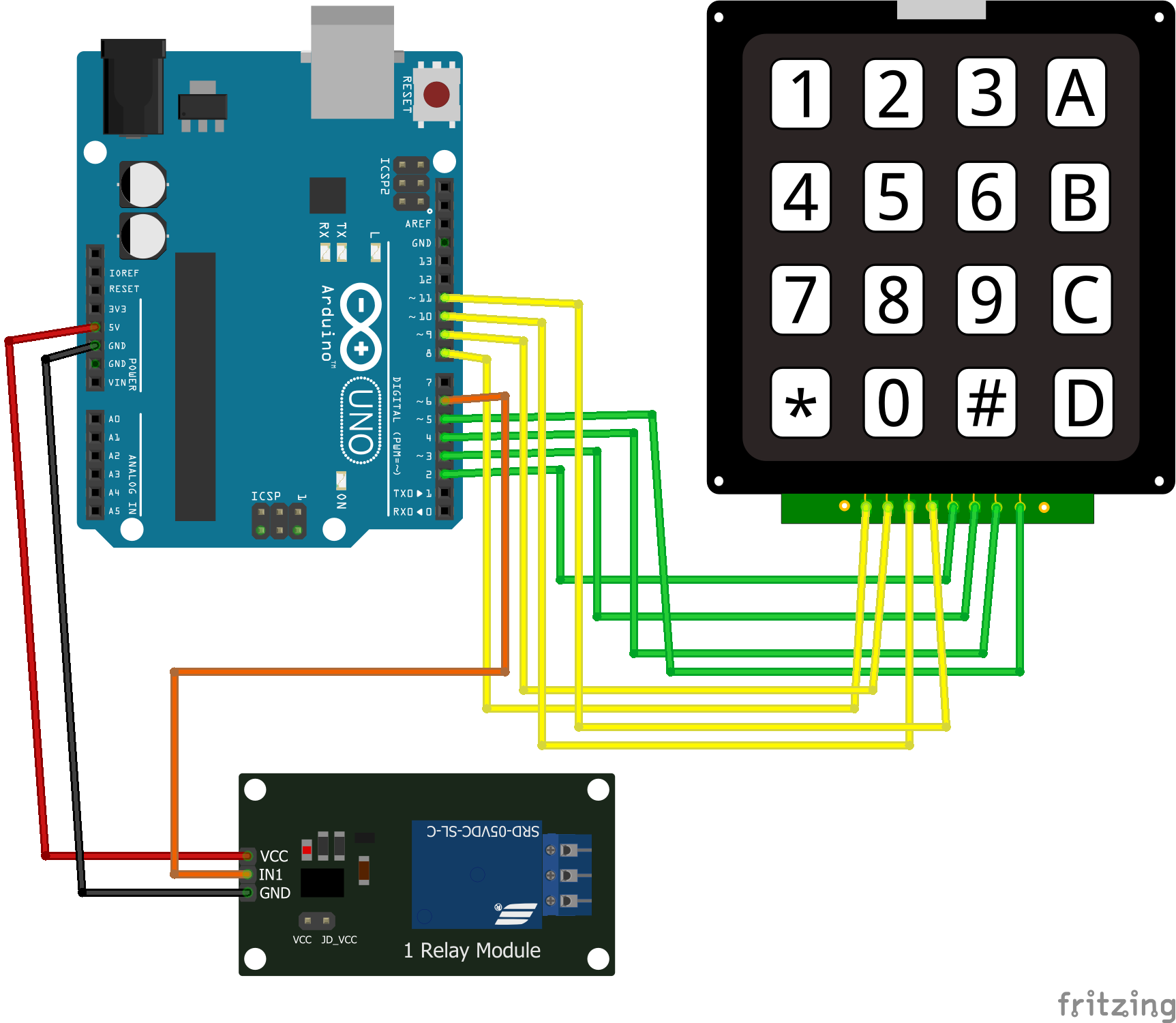
-

- Arduino Keypad Lock: Setup
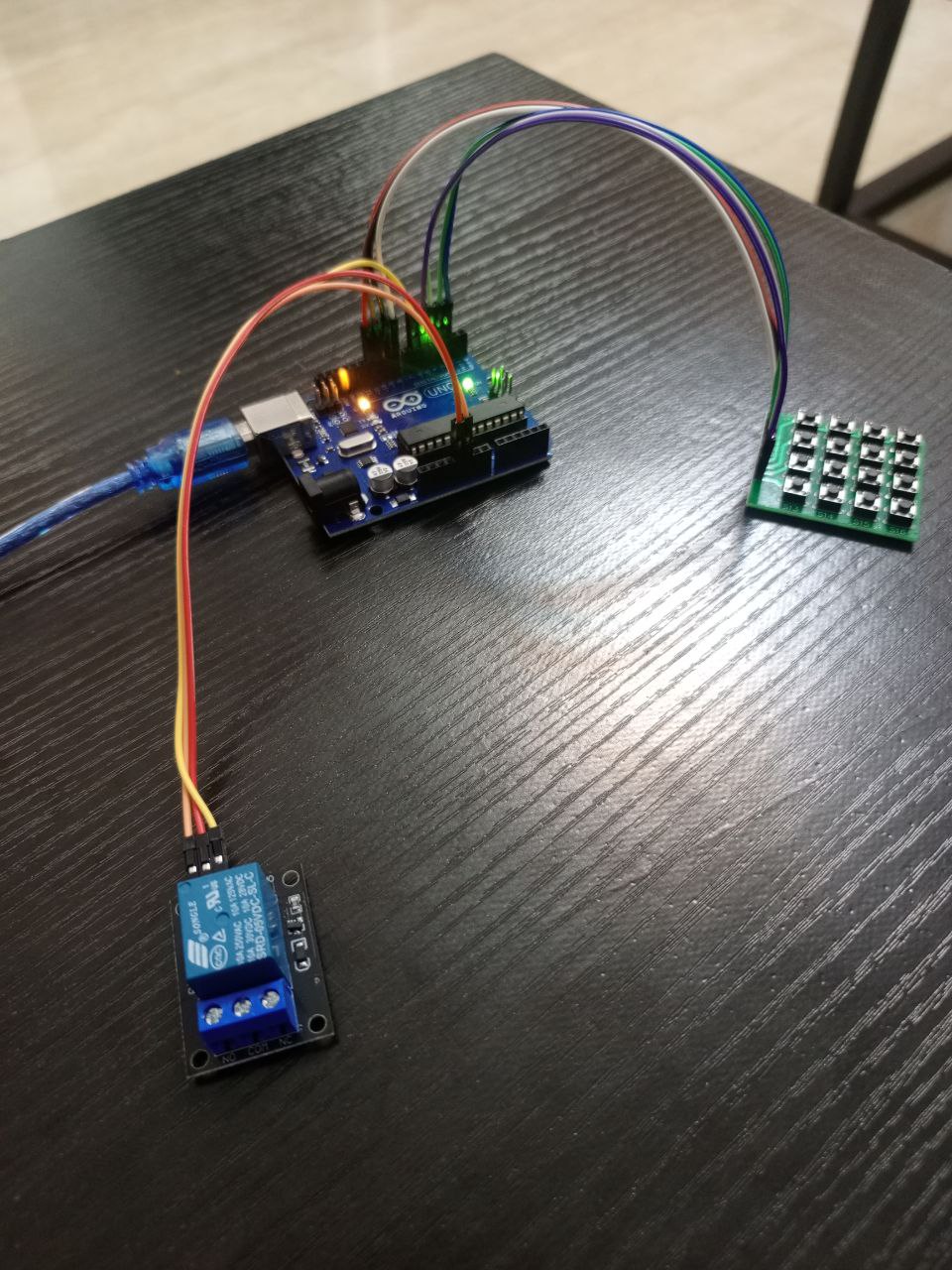
-
- Arduino Keypad Lock: PIN entry
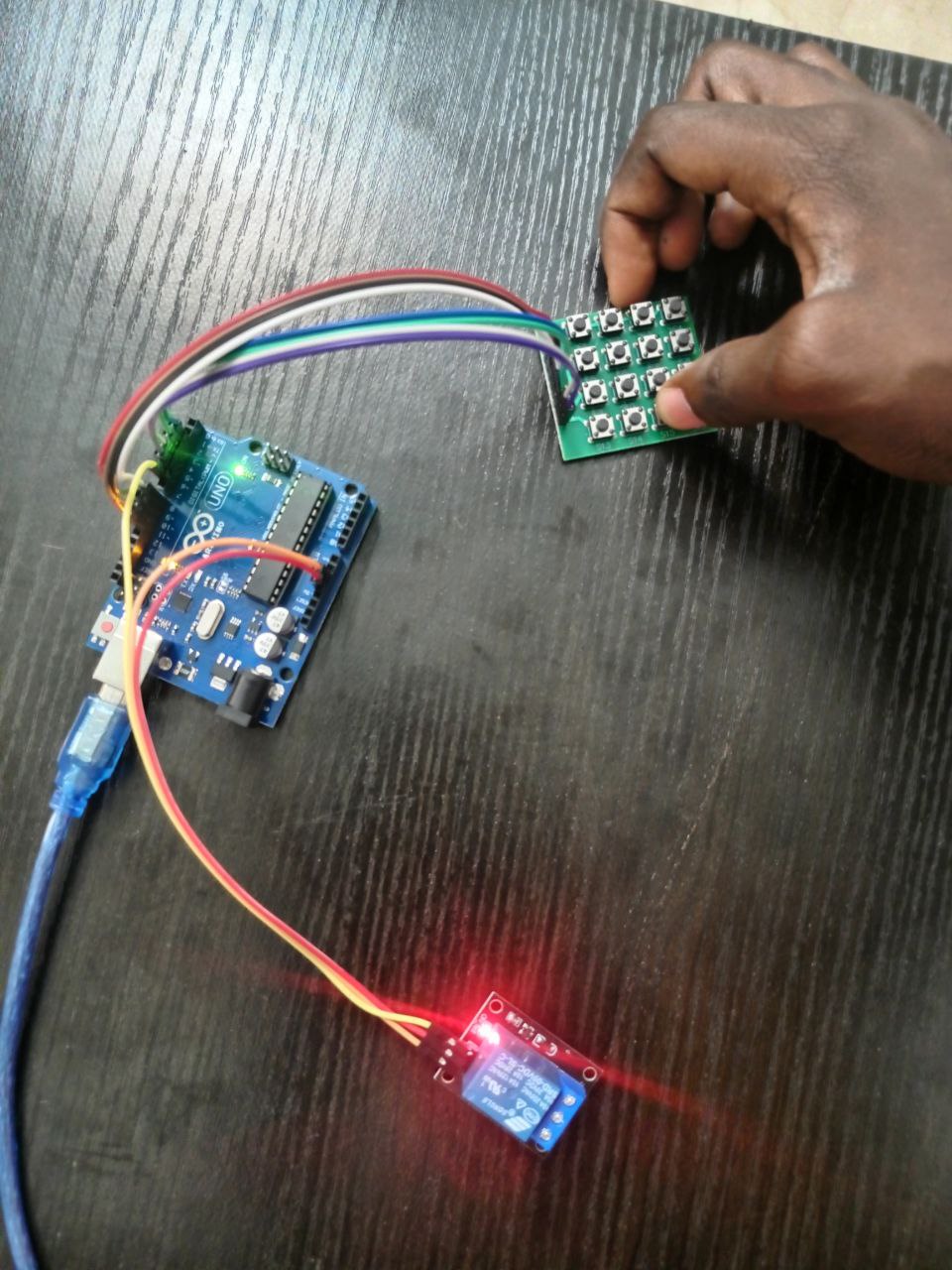
-
- Arduino Keypad Lock: Screenshot
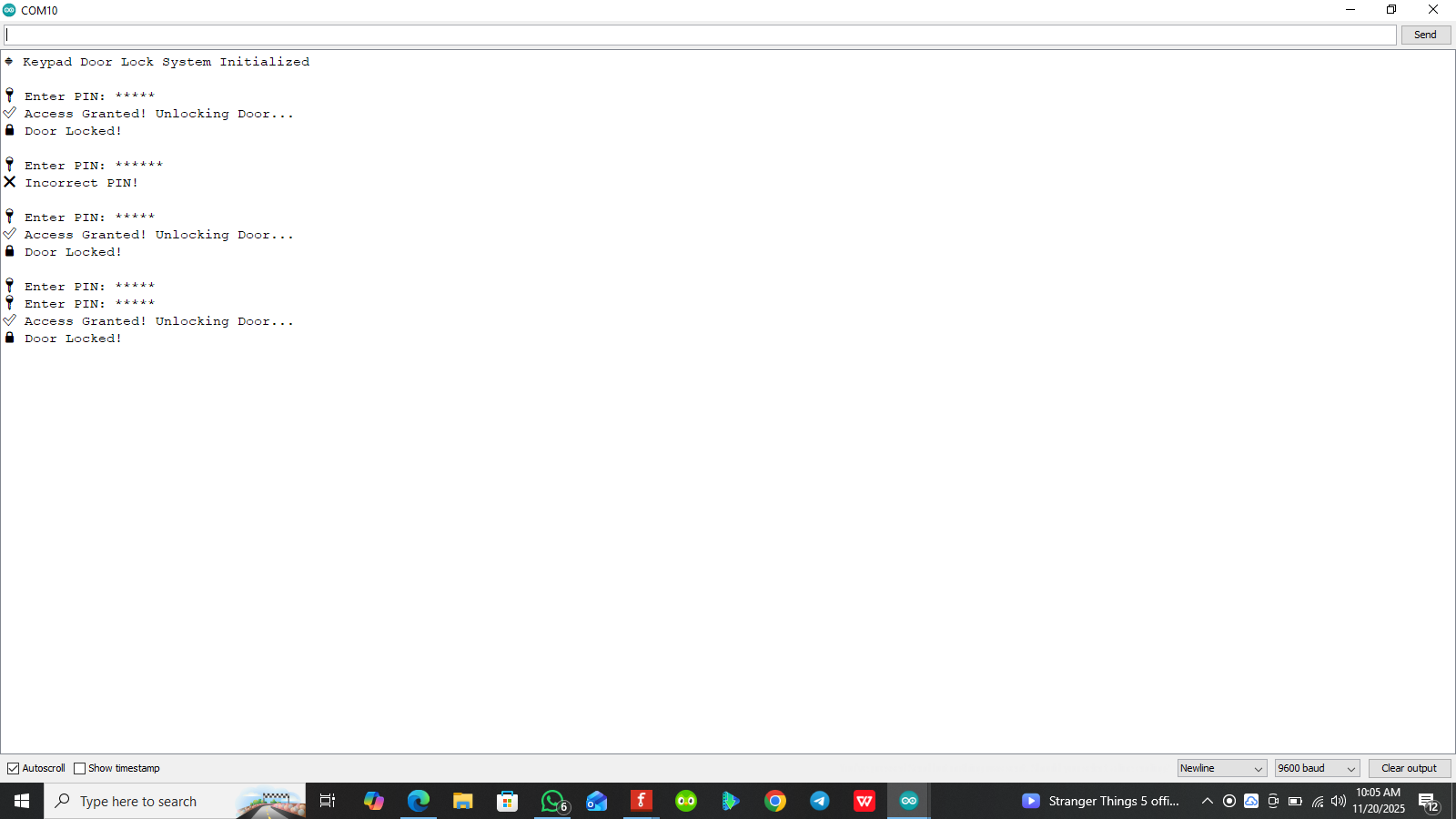
The Keypad Lock System is an electronic access control mechanism that uses a 4×4 matrix keypad for password input and a relay module to control an electrical load or locking device. The system operates by the user pressing “D” on the keypad and input a predefined PIN on the keypad after press “#” to enter. When the correct PIN is entered, the control circuit validates the input and immediately switches ON the relay, thereby activating the connected device such as an electric lock, solenoid, motor, or any electrical system.
If an incorrect PIN is entered, the system denies access and keeps the relay in the OFF state. The relay remains ON only for a programmed time (5 seconds) or until the system resets it, depending on the configuration. The PIN can be modified when needed to enhance security or update user access.
This design provides a secure, keyless access solution, offering convenience, improved control, and better protection compared to traditional key-based locking mechanisms. It is widely used in doors, cabinets, lockers, safes, automated gates, and various home or industrial automation applications.
- Arduino Uno
- 4x4 Keypad
- Jumper wires
- Relay module
#include <Keypad.h>

#define DOOR_RELAY 6  // GPIO pin for the door lock

// ✅ Set up Keypad rows and columns
const byte ROWS = 4;
const byte COLS = 4;
char keys[ROWS][COLS] = {
    {'1', '2', '3', 'A'},
    {'4', '5', '6', 'B'},
    {'7', '8', '9', 'C'},
    {'*', '0', '#', 'D'}
};
byte rowPins[ROWS] = {2, 3, 4, 5};  // ESP32 GPIO for Rows
byte colPins[COLS] = {8, 9, 10, 11};  // ESP32 GPIO for Columns
Keypad keypad = Keypad(makeKeymap(keys), rowPins, colPins, ROWS, COLS);

// ✅ Correct PIN
const String correctPIN = "02341";
String enteredPIN = "";
bool requestingPIN = false;

void setup() {
    Serial.begin(9600);
    Serial.println("🔹 Keypad Door Lock System Initialized");
    pinMode(DOOR_RELAY, OUTPUT);
    digitalWrite(DOOR_RELAY, LOW); // Keep door locked initially
}

void loop() {
    char key = keypad.getKey();
    if (key) {
        // ✅ If 'D' is pressed, start PIN entry
        if (key == 'D') {
            Serial.print("\n🔑 Enter PIN: ");
            requestingPIN = true;
            enteredPIN = ""; // Reset PIN input
        }

        // ✅ Handle PIN entry when requested
        else if (requestingPIN) {
            if (key == '#') {  // Confirm PIN entry
                Serial.println(); // Move to next line
                if (enteredPIN.equals(correctPIN)) {
                    Serial.println("✅ Access Granted! Unlocking Door...");
                    openDoor();
                } else {
                    Serial.println("❌ Incorrect PIN!");
                }
                enteredPIN = "";  // Reset entry
                requestingPIN = false;
            }
            else if (key == '*') {  // Reset PIN entry
                Serial.print("\n🔄 PIN Entry Reset! Enter PIN: ");
                enteredPIN = "";
            }
            else {
                enteredPIN += key;  // Append key to entered PIN
                Serial.print("*");  // Mask PIN entry with '*'
            }
        }
    }
}

// ✅ Function to Unlock the Door
void openDoor() {
    digitalWrite(DOOR_RELAY, HIGH);
    delay(5000);  // Door stays open for 5 seconds
    digitalWrite(DOOR_RELAY, LOW);
    Serial.println("🔒 Door Locked!");
}
- Anti-brute-force lockout after a number of wrong PIN entry attempts (e.g. 3–5), disable input for a timeout (e.g. 30s–5min) and trigger an alert/buzzer
- Power fail safe: add a battery backup (rechargeable) so the lock remains operational during mains loss.