
Infrared (IR) Remote Control - Arduino Uno
-

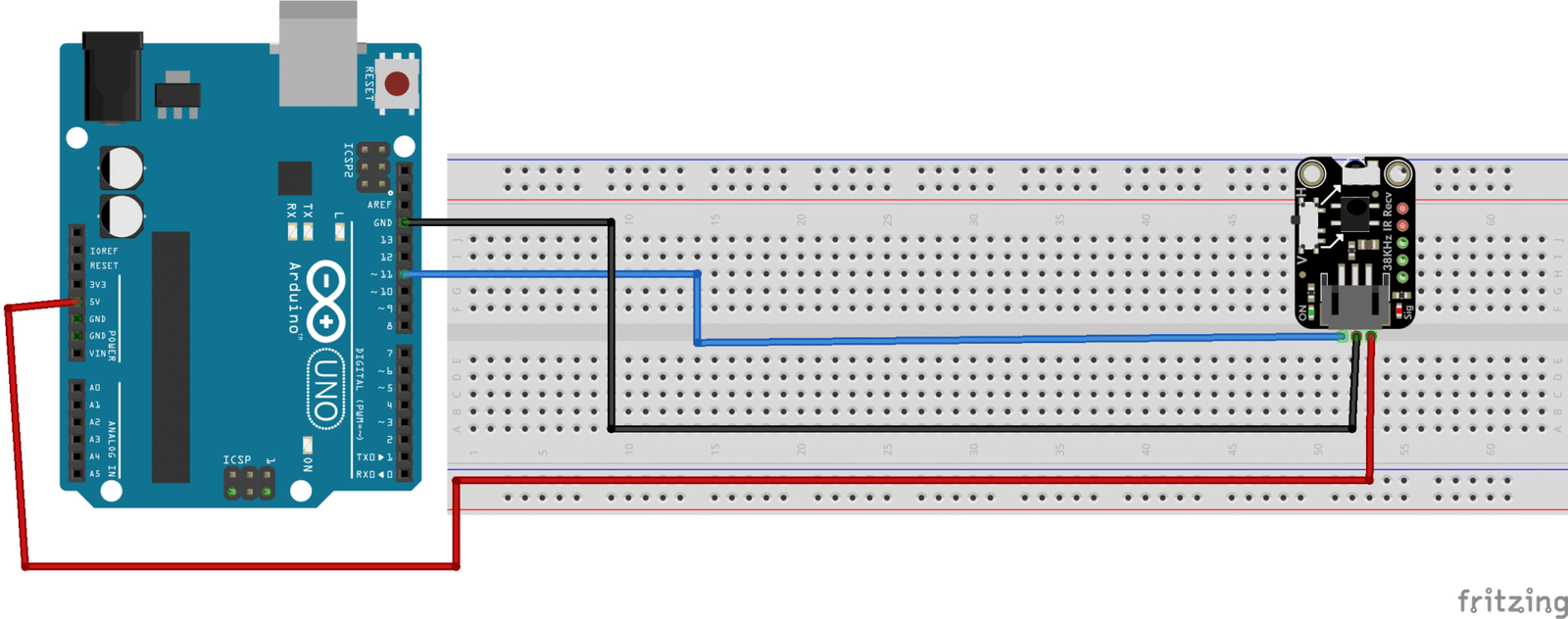
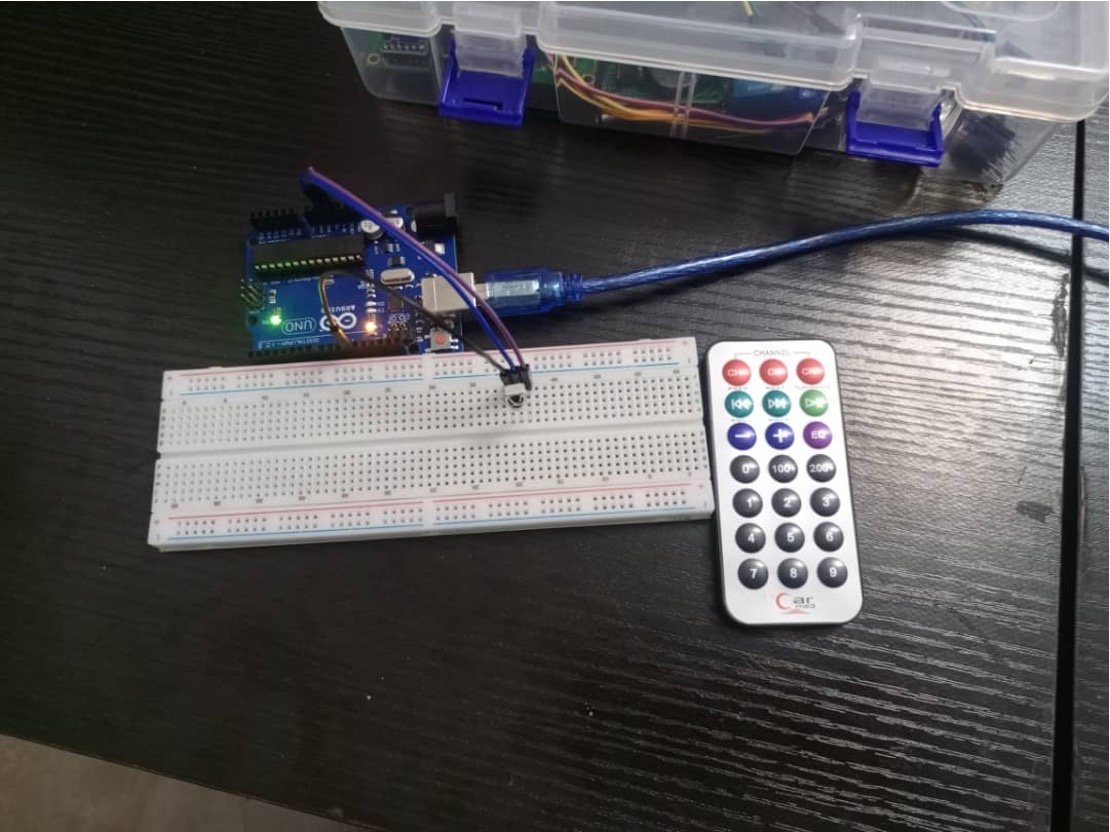
- IR Key Decoding Setup
-
- IR Hexcode Screenshot
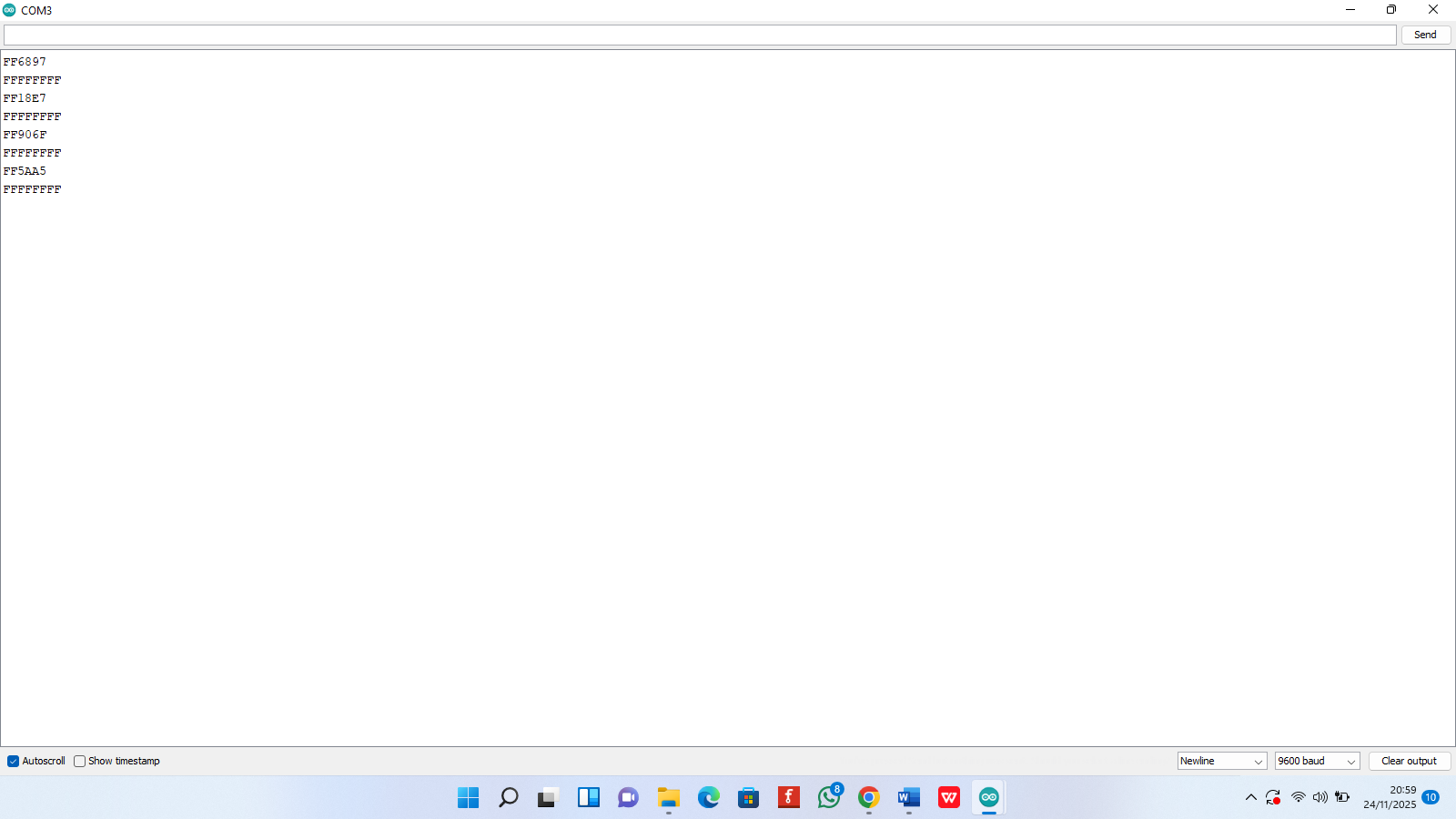
Every button on an infrared (IR) remote sends out a unique signal encoded in the form of a hexadecimal (HEX) code. When the remote button is pressed, the IR receiver module connected to the system captures this signal and displays its HEX code on the serial monitor. This HEX code acts as a digital signature for that specific button.
By observing the HEX codes printed on the serial monitor, each remote button can be identified and mapped to a particular function. For example, pressing the “1” button on the remote might generate a code such as 0xG4D3O, while the “2” button may produce another unique value. These codes can then be assigned to any custom action in the program, such as turning an LED on, changing brightness, switching modes, or controlling a relay.
Your task is to map the HEX codes to your chosen task. Once mapped, the Arduino simply compares the incoming HEX code from the IR receiver with the stored values and executes the corresponding command
In the next project, the commands are used to control an RGB LED.
- Arduino Uno
- Jumper wires
- IR Receiver
- IR Remote
#include <IRremote.h>

int RECV_PIN = 7;        // IR Receiver pin

IRrecv irrecv(RECV_PIN);
decode_results results;

void setup() {
  Serial.begin(9600);
  irrecv.enableIRIn();
}

void loop() {
  if (irrecv.decode(&results)) {
    Serial.println(results.value, HEX); // show code
    irrecv.resume();
  }
}
- Remotely control
- Robots
- Lights
- Motors
- Sound/Music